Cooking states were hard to read
Preheating, active cooking, timing, and reminders competed for attention instead of forming one clear status hierarchy.


Two ways to cook. A clearer HMI built for Monogram.
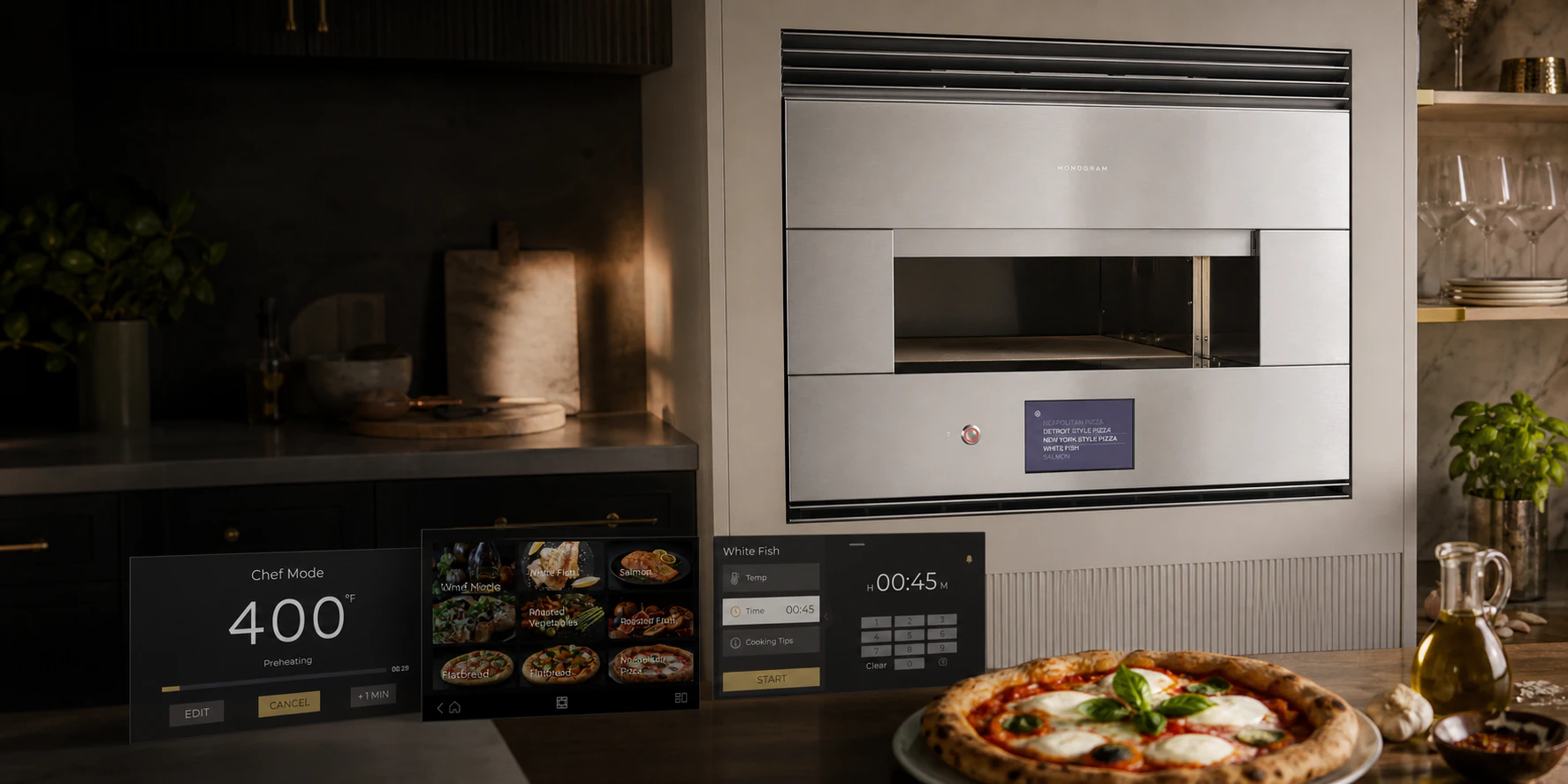
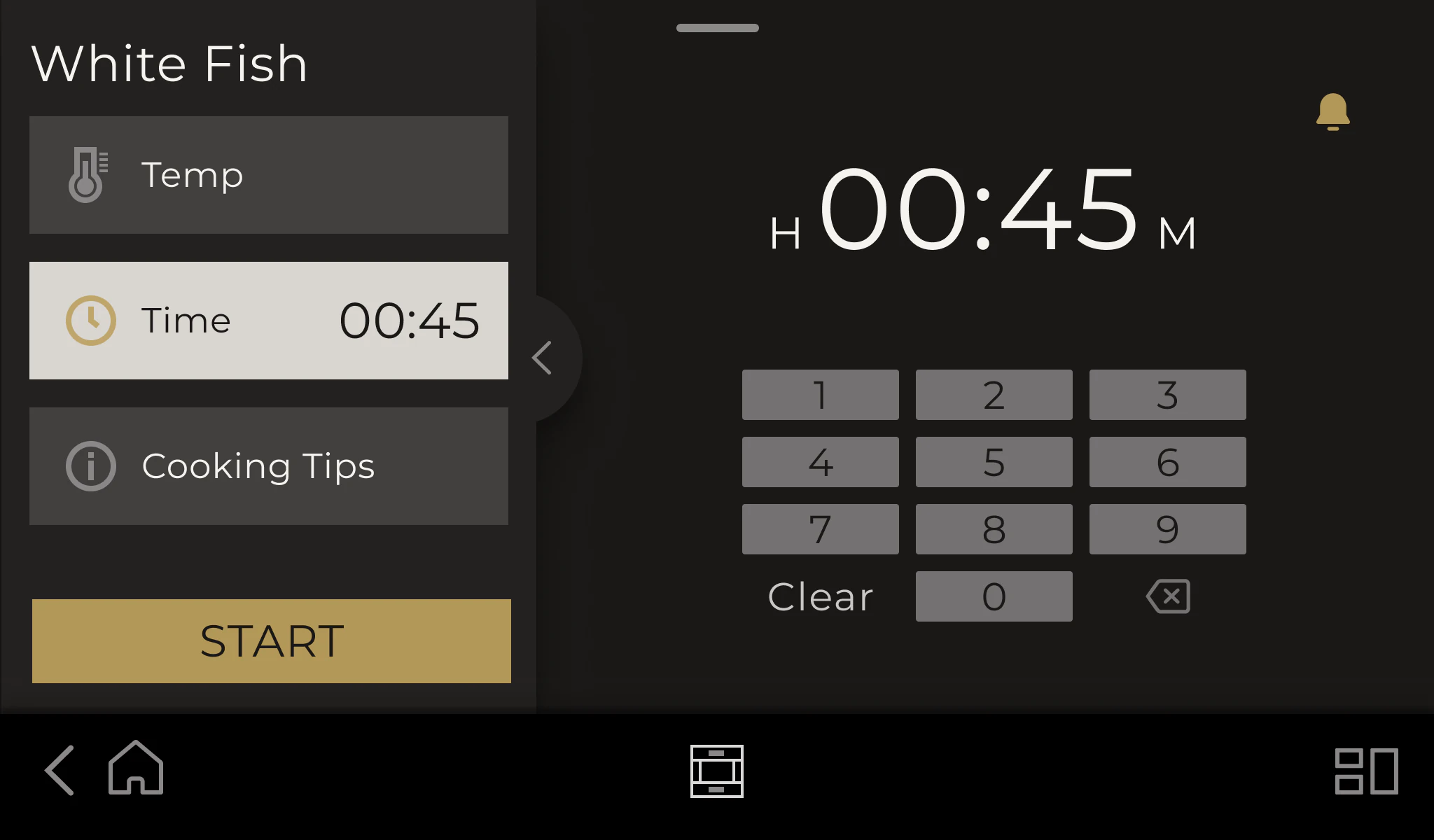
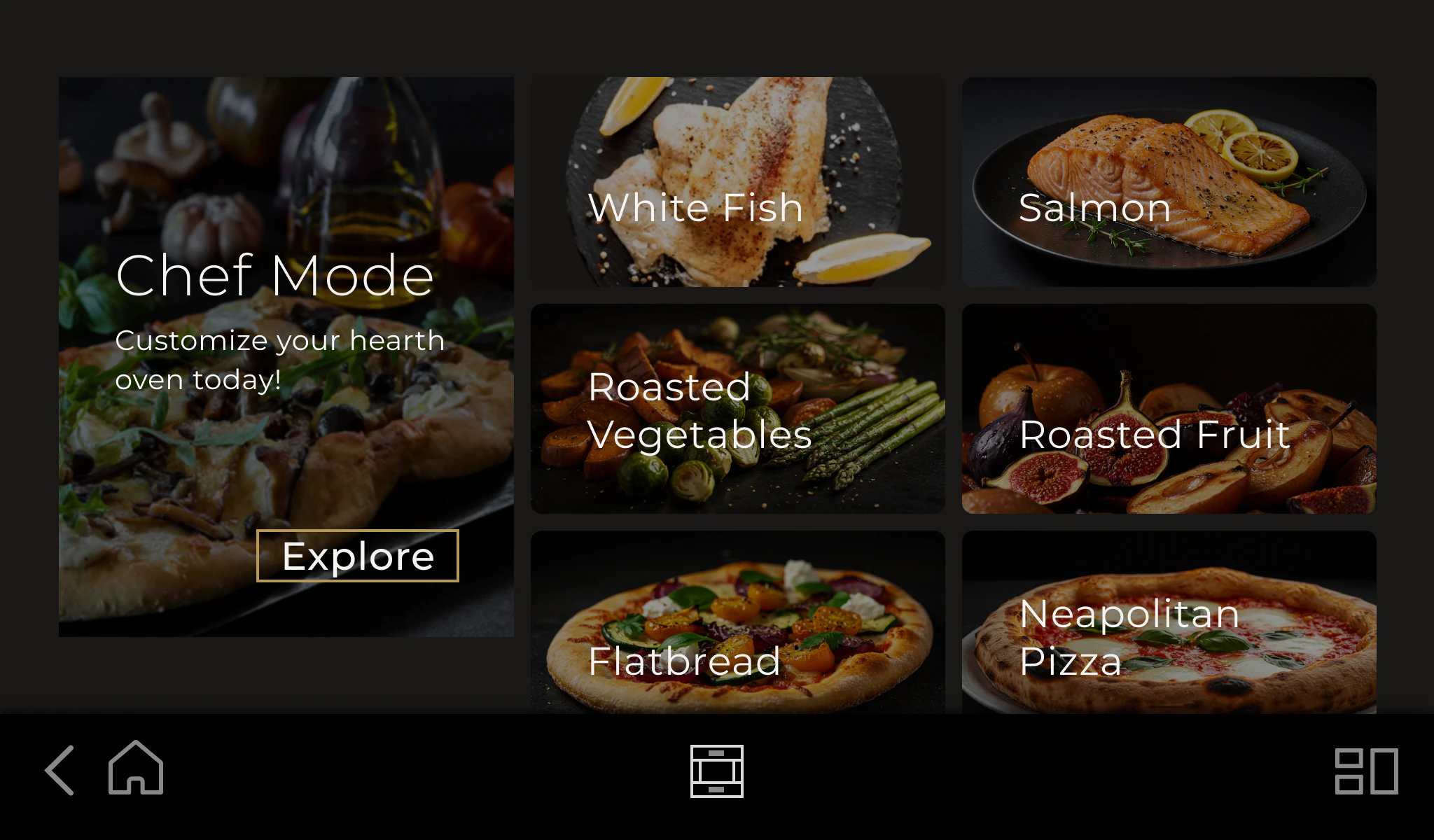
Redesigning a confusing interface without flattening the oven's two distinct cooking experiences.
Chef Mode and Precision Cooking serve different cooking intentions—and together form a key product advantage. The legacy interface made both difficult to understand. I redesigned the experience and established a Monogram-specific HMI language, using existing appliance systems as reference because Monogram did not yet have one of its own.
Two valuable ways to cook, obscured by a confusing interface.
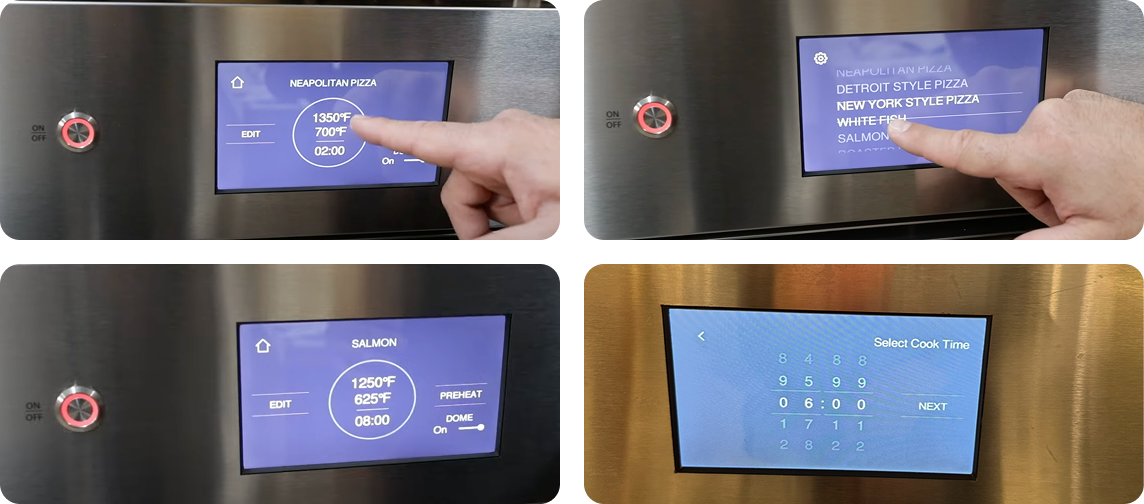
The oven intentionally supports guided Precision Cooking and direct manual control. In the legacy UI, unclear hierarchy and inconsistent patterns made the value of both modes harder to understand.
The problem was not that two cooking paths existed. It was that the interface did not clearly distinguish their purposes, explain the oven's changing state, or make the next decision predictable.
Preheating, active cooking, timing, and reminders competed for attention instead of forming one clear status hierarchy.
Chef Mode—then called Customize Mode—and Precision Cooking served different intentions, but the interface did not make that distinction clear at entry or during setup.
Owners wanted practical help—what to cook, which settings to use, and tips tailored to ingredients, dough, and thickness.
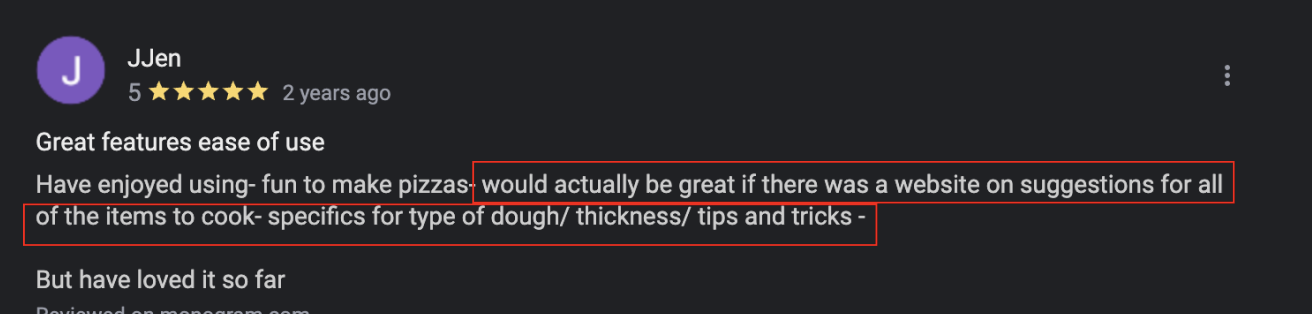
“Suggestions for all of the items to cook—specifics for type of dough, thickness, tips and tricks.”
Understanding both cooking paths—and the systems around them.
I observed the Hearth Oven in use, reviewed its manual, mapped both cooking paths, and studied existing appliance systems. This shifted the project from a screen refresh to a system-level challenge: clarify two distinct experiences while defining an HMI language for Monogram.
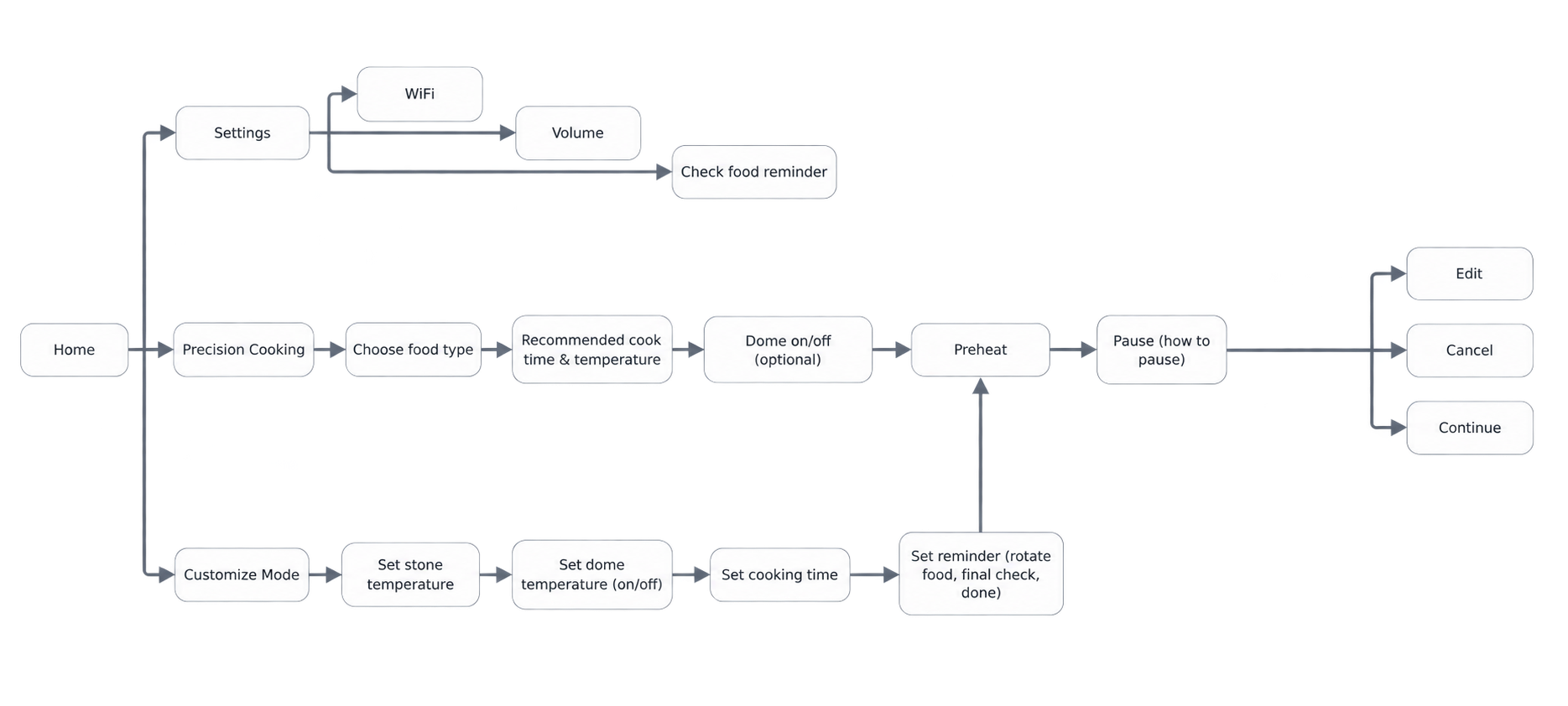
Chef Mode needed to feel direct and flexible. Precision Cooking needed to feel guided and reassuring. The redesign had to strengthen that difference, not erase it.
Navigation, temperature entry, time, preheat, edit, and cancel still needed predictable rules so users could understand the oven as it changed state.
Other appliance brands already had established systems. I used their proven behavior and terminology as reference, then defined a distinct expression for Monogram's premium positioning and hardware context.
Existing flows established familiar sequences and terminology. I separated those reusable conventions from brand expression, then adapted the foundations for a larger display, an in-kitchen context, and a distinctly Monogram experience.
Preserving two cooking experiences inside one Monogram HMI system.
Chef Mode supports direct control. Precision Cooking provides guided recipes and recommendations.
Navigation, inputs, cooking states, and feedback follow predictable rules across the oven.
A new HMI language brings the brand's premium character to the appliance without discarding proven system behavior.
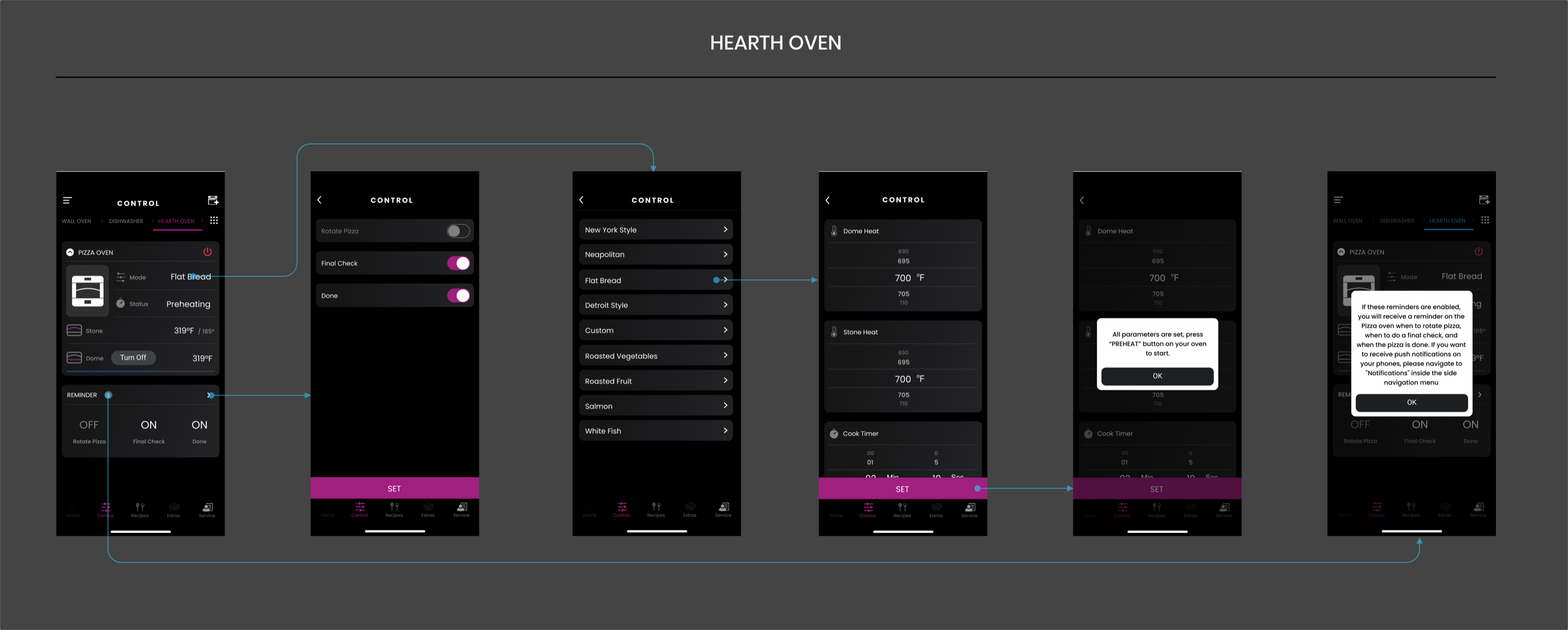
I explored two ways to balance visual clarity with long-term scalability. The chosen direction keeps the most flexible cooking path within reach while giving the growing recipe library room to expand.
Chef Mode stays fixed on the left. Precision Cooking recipes scroll on the right, so the library can grow without pushing the primary manual-control path out of view.
Chef Mode remains anchored as the dependable entry point for people who want direct control.
A denser, scrollable recipe grid keeps more choices visible as Precision Cooking content grows.
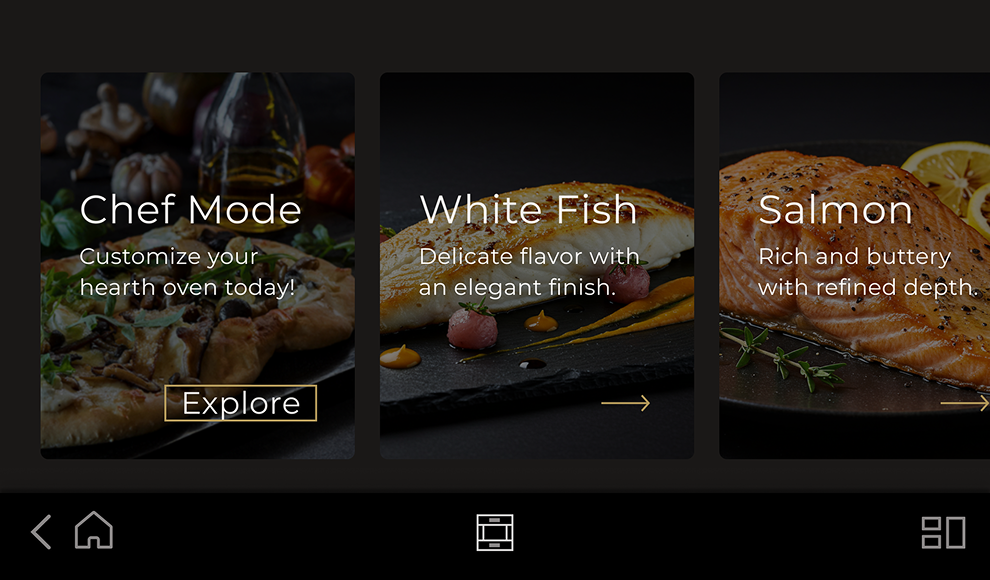
Direction B gave each recipe more space, stronger imagery, and clearer descriptions. As the library expanded, however, the larger horizontal cards made it noticeably harder to find a specific recipe.
Direction A offered the better balance: practical at scale, visually engaging, and clear at a glance.
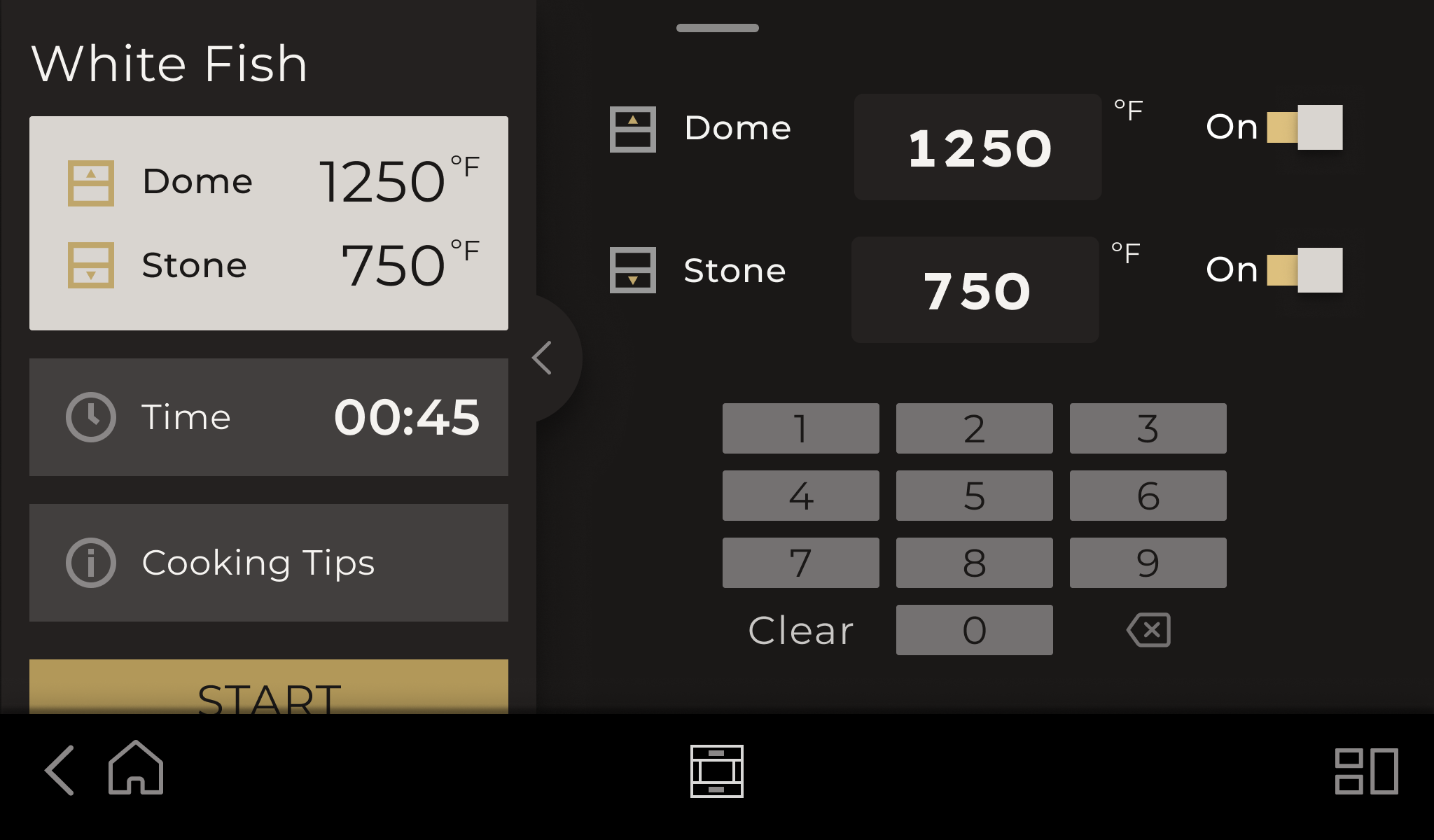
The Hearth Oven heats from two independent zones—the dome above and the stone below—so people need to set each temperature and power state without losing sight of the other.
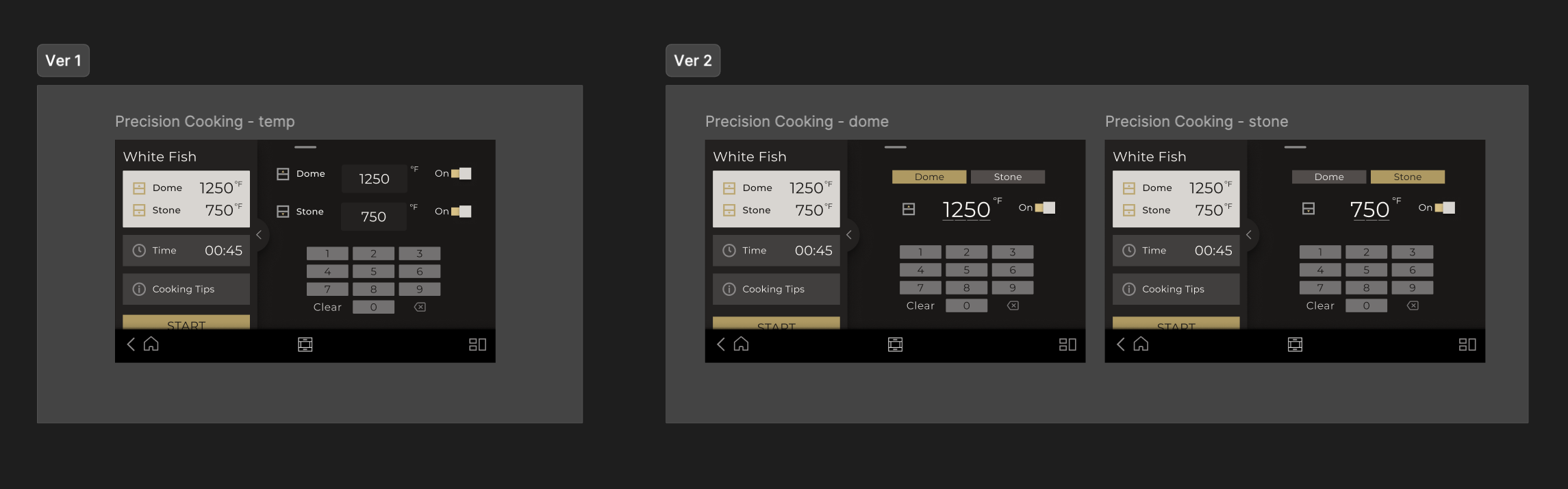
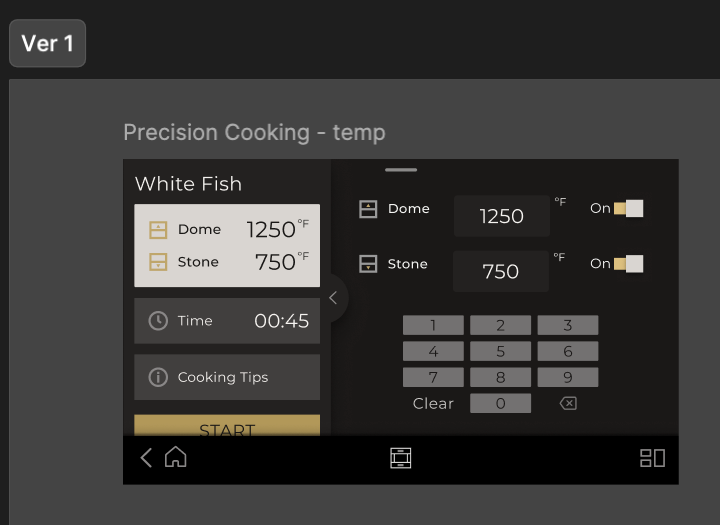
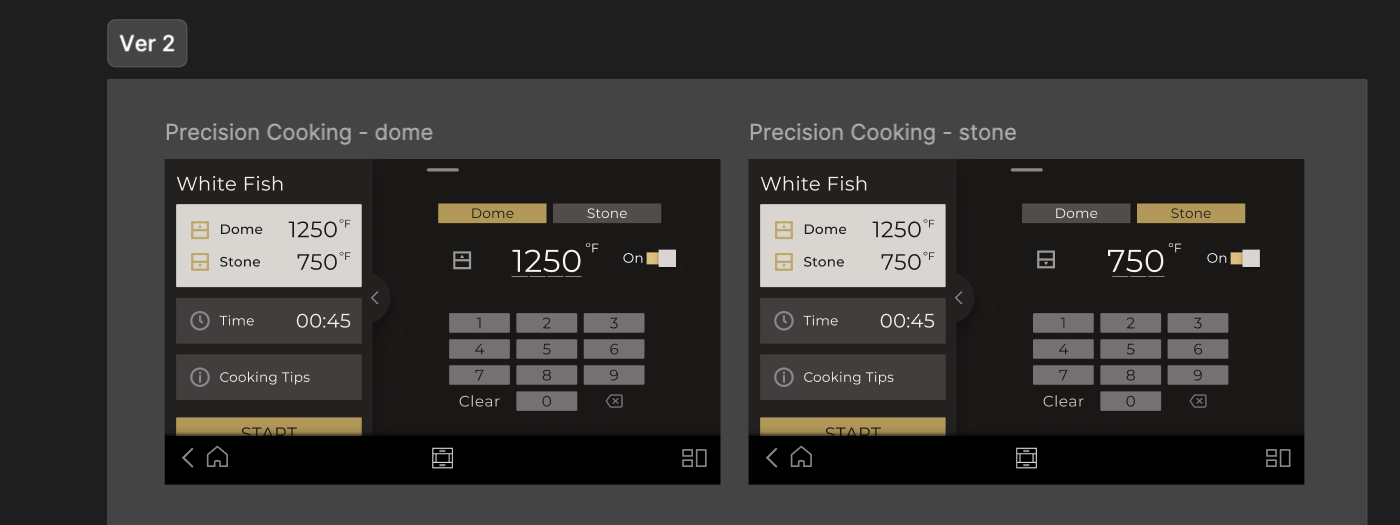
Participants preferred seeing and adjusting both heat zones on one page. It reduced switching and kept the full oven state visible while they made changes.
Version 1 exposes both temperatures and on/off controls at the same time. That matters during cooking, when hands may be oily or covered in ingredients and every extra screen tap adds friction.
Version 2 made the active temperature larger and easier to read, but required people to switch between Dome and Stone tabs to understand or change the complete oven setup.
The Monogram HMI language grew through paper sketches, system studies, and repeated checks on the physical oven. Each pass clarified how two cooking modes, two heat zones, and shared system states should work together without becoming the same experience.
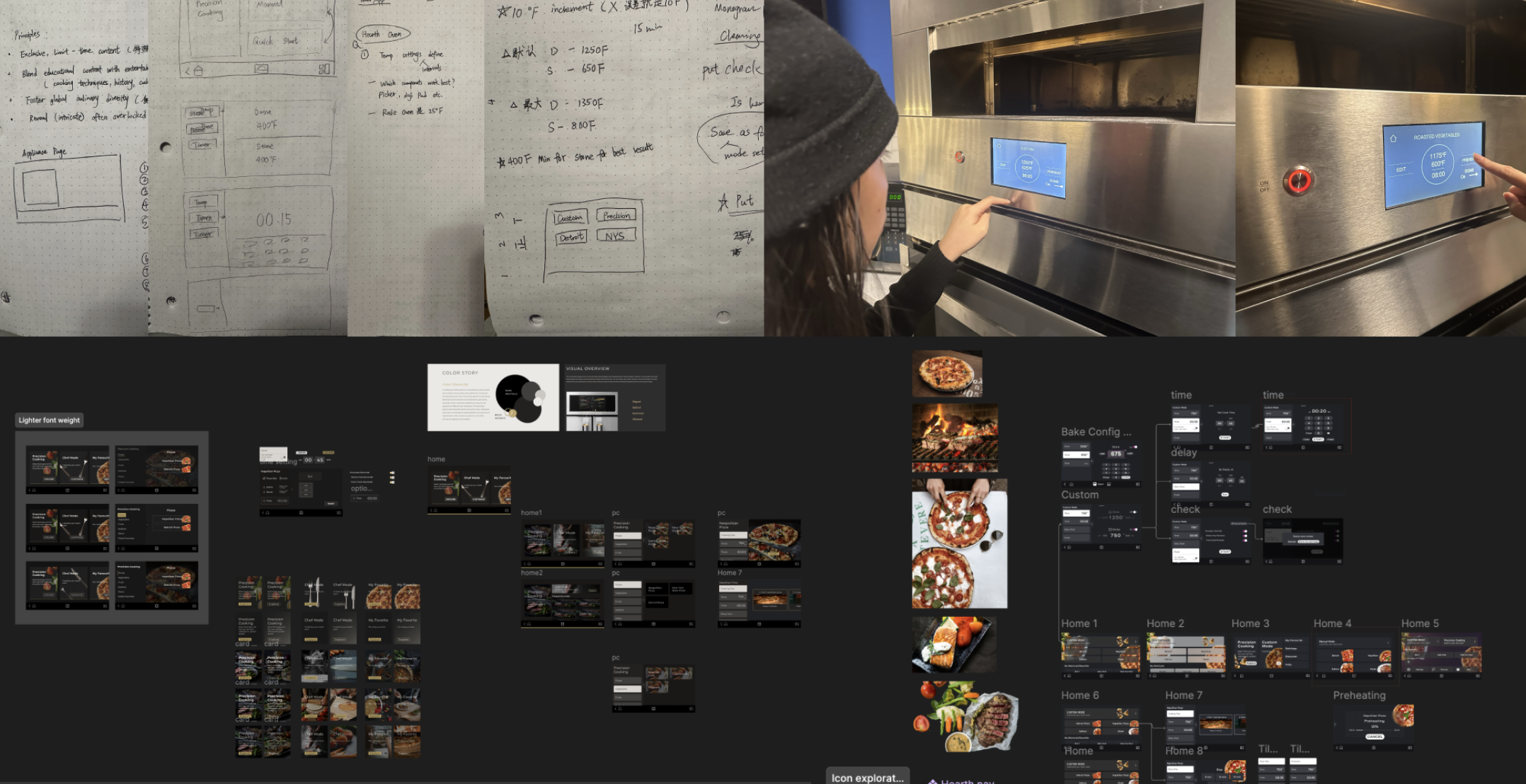
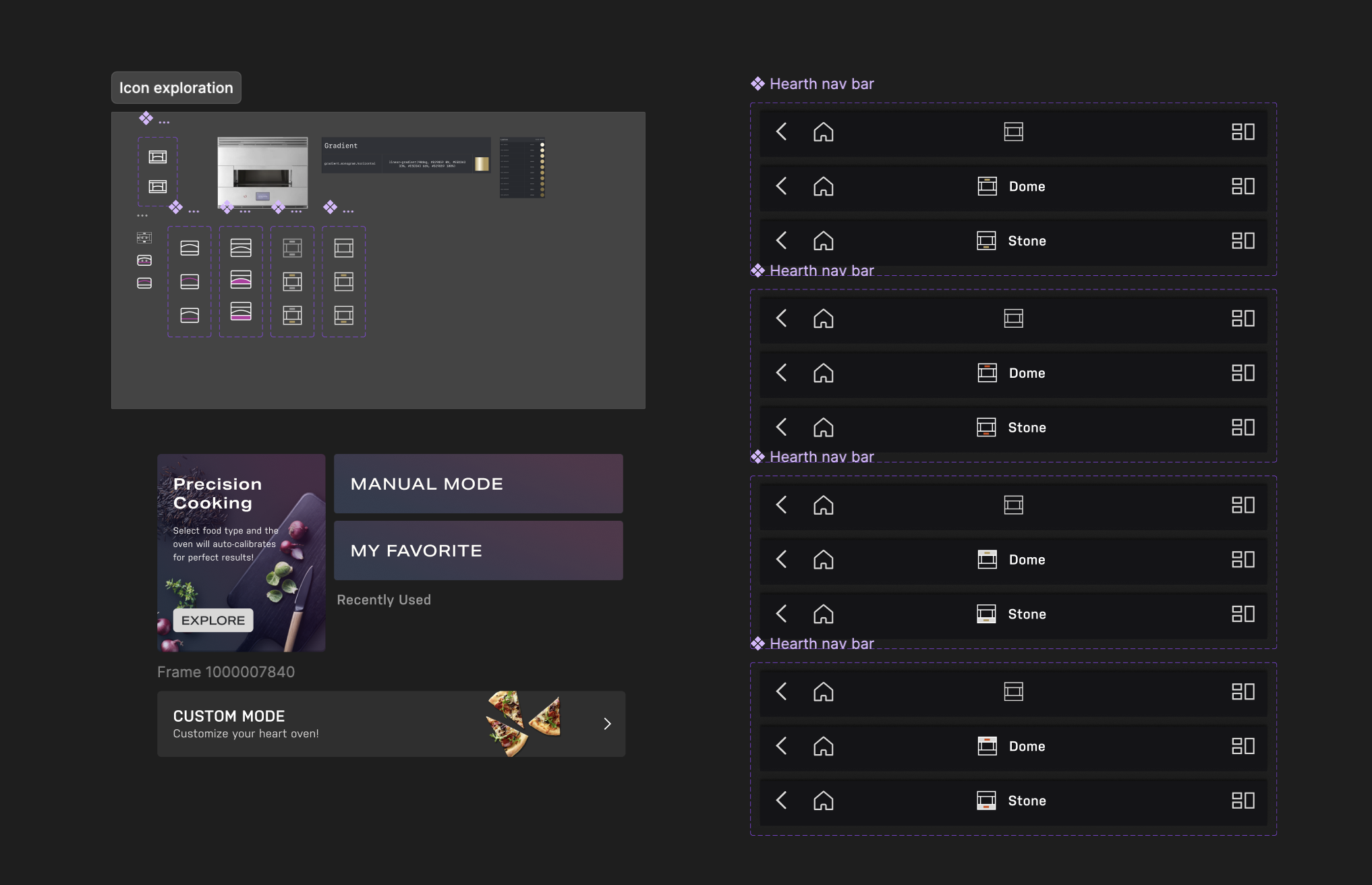
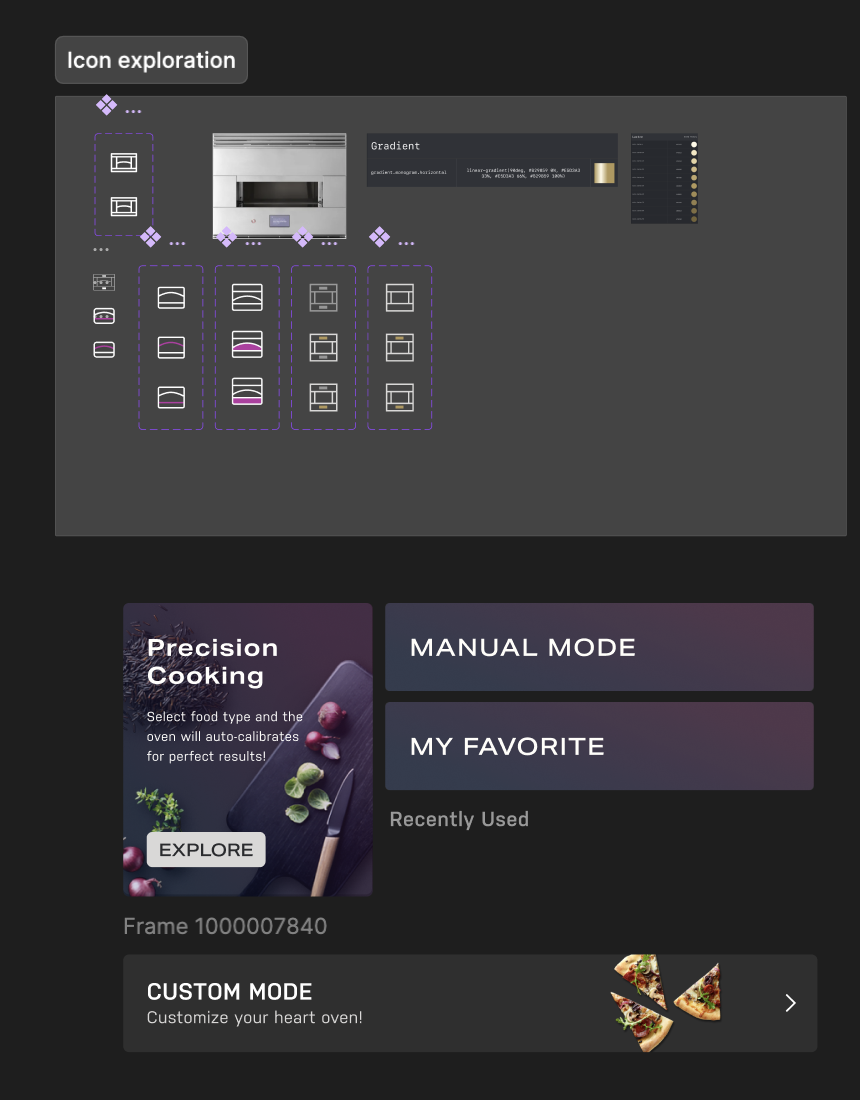
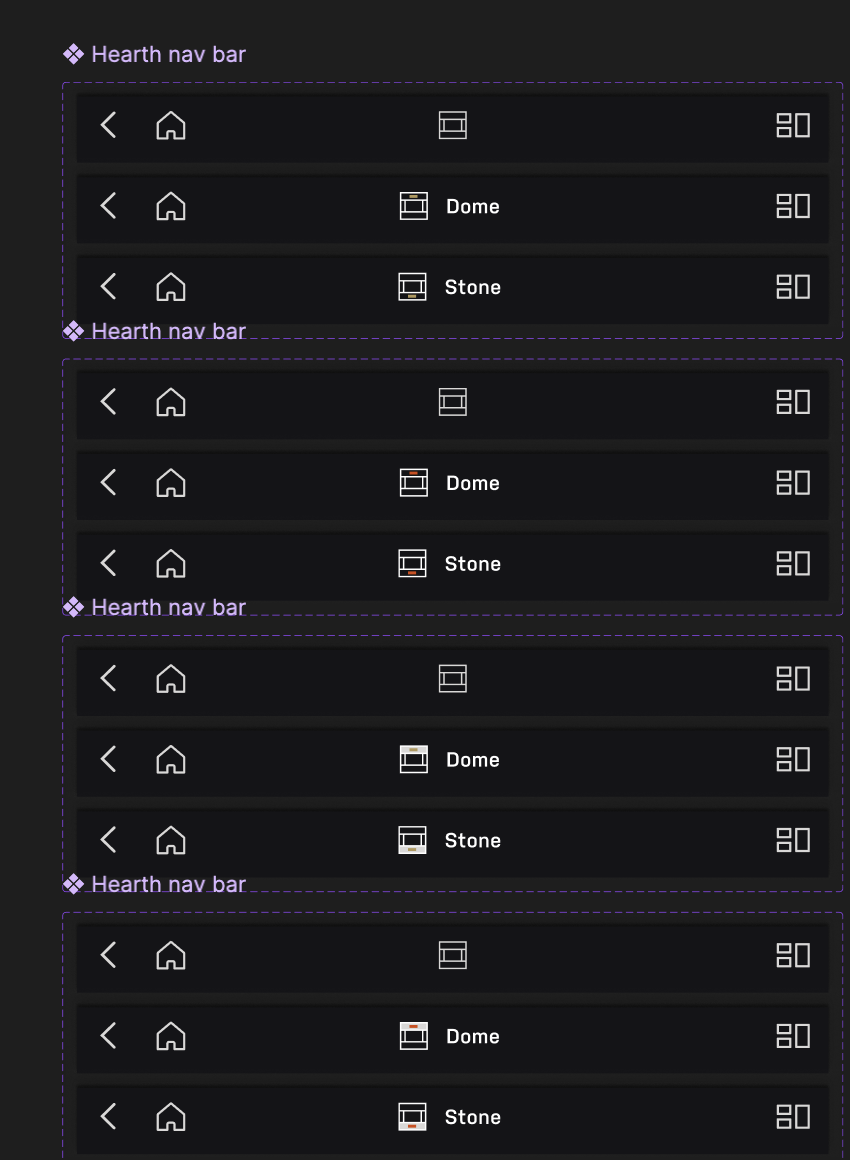
I explored how the Dome and Stone could remain distinct across icons, navigation states, and the appliance home screen without turning the interface into two disconnected systems.
Alongside the screen layouts, I explored direct number entry, scrolling pickers, and different temperature increments. The input method needed to work for both small corrections and large changes.
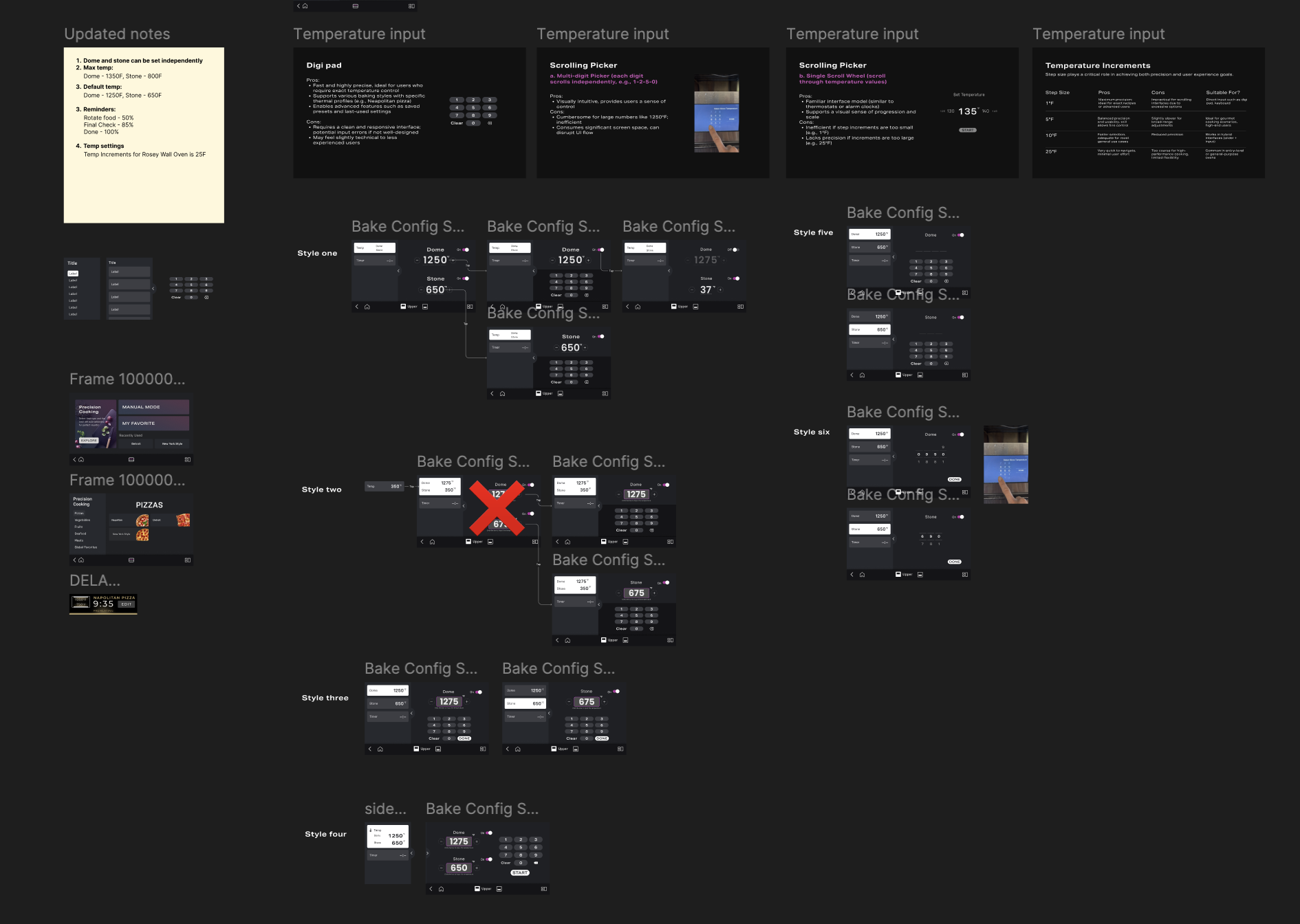
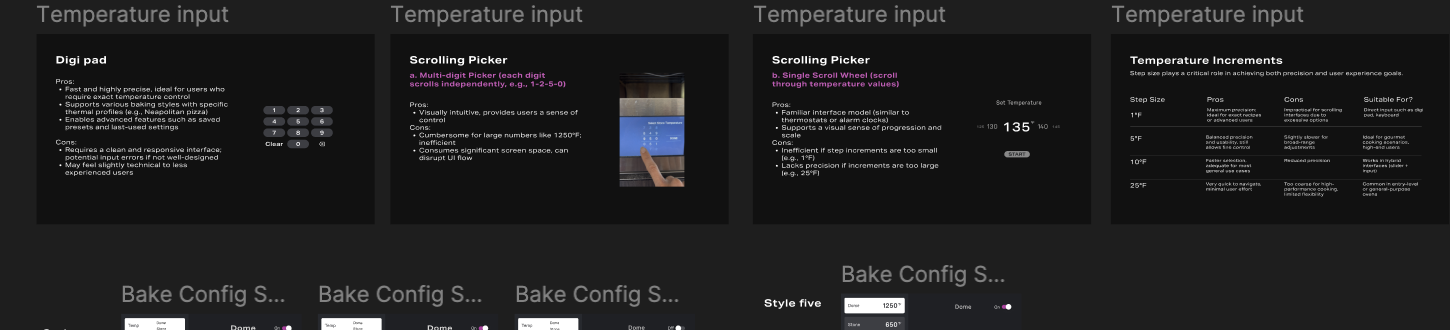
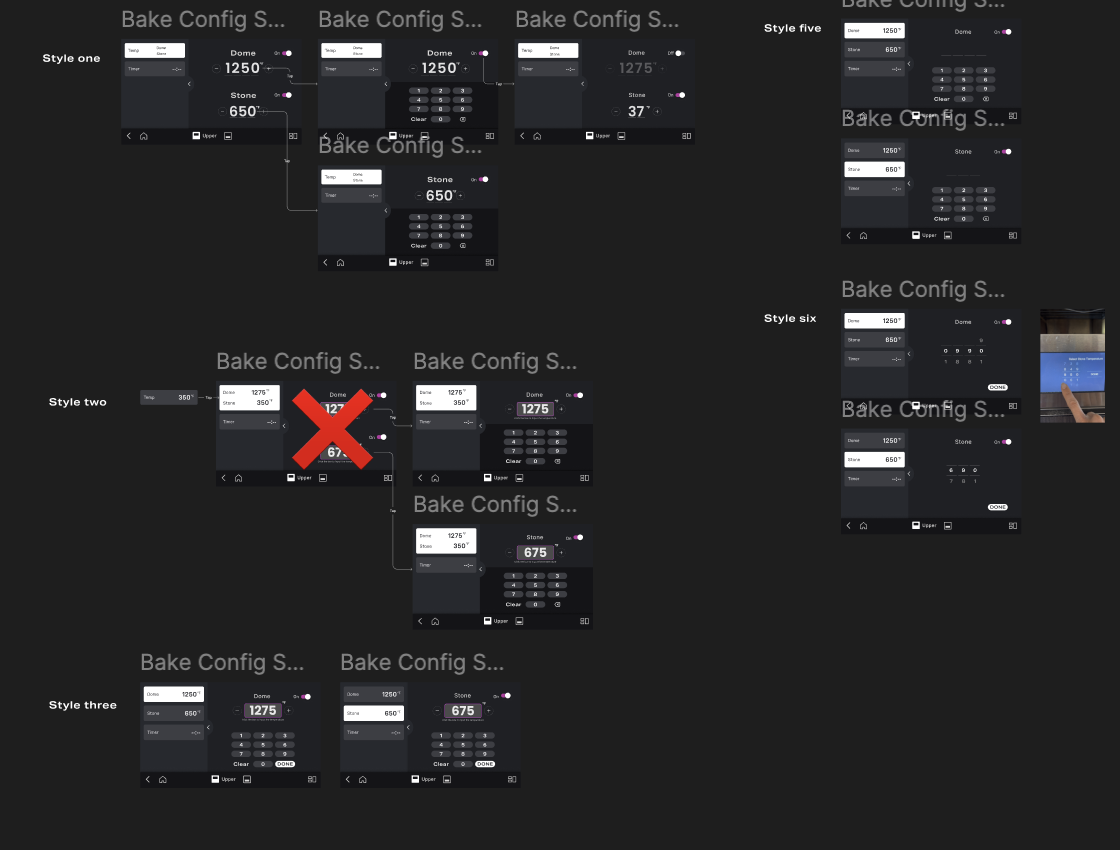
This diagnostic round compared input concepts and identified what to carry forward; it was not a final measure of product performance.
Easy to understand, but larger temperature changes took too many repeated presses.
Supported faster adjustment across a wider temperature range and was carried forward.
Keep both heat zones visible. Use fewer touches.
For cooks who already know what they want, Chef Mode turns customization into one continuous path: set the oven, add time or a reminder, and start cooking without learning a separate interaction model.
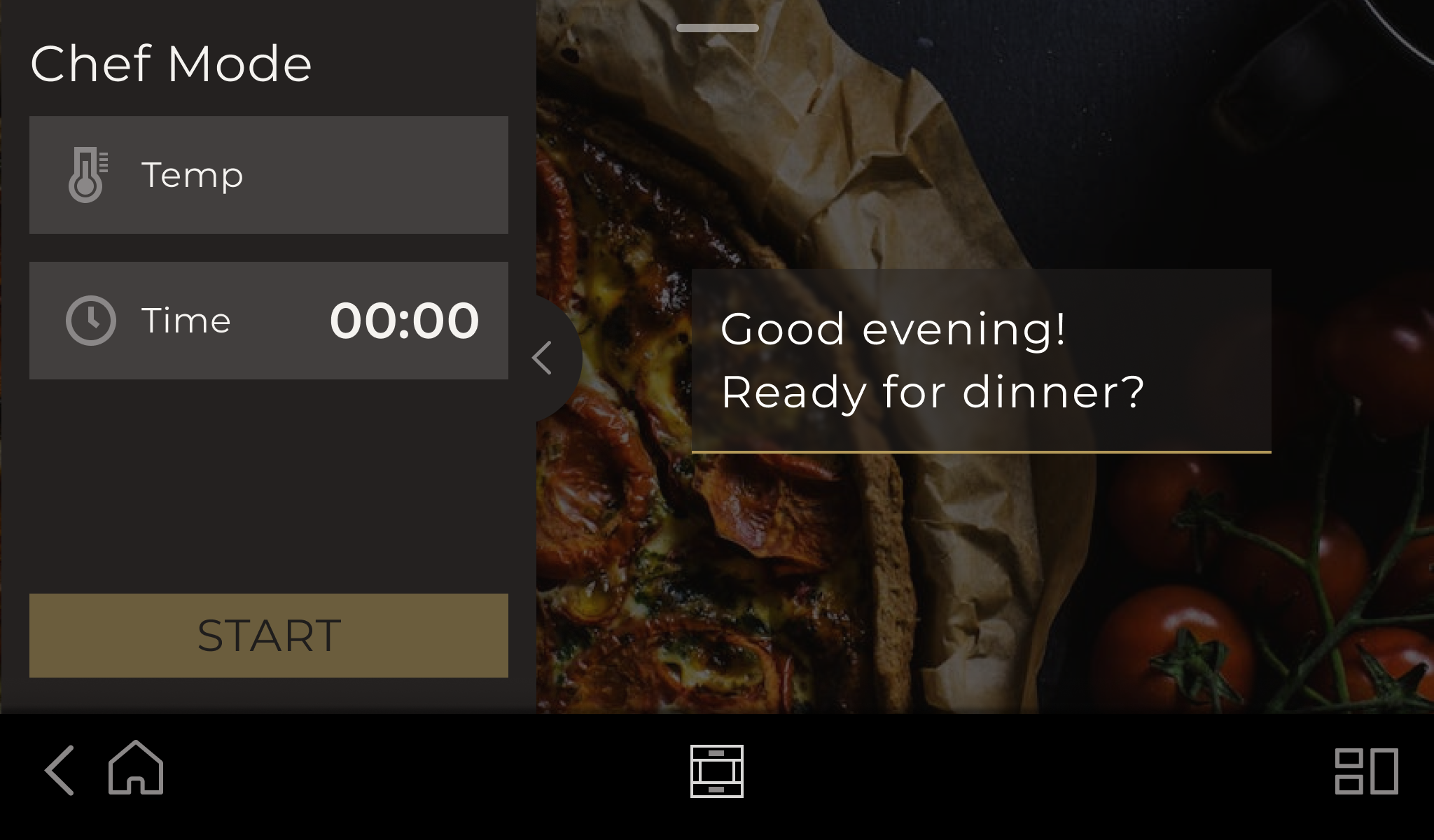
Temperature and time stay visible from the first screen, while the food imagery keeps the experience connected to the cooking task.
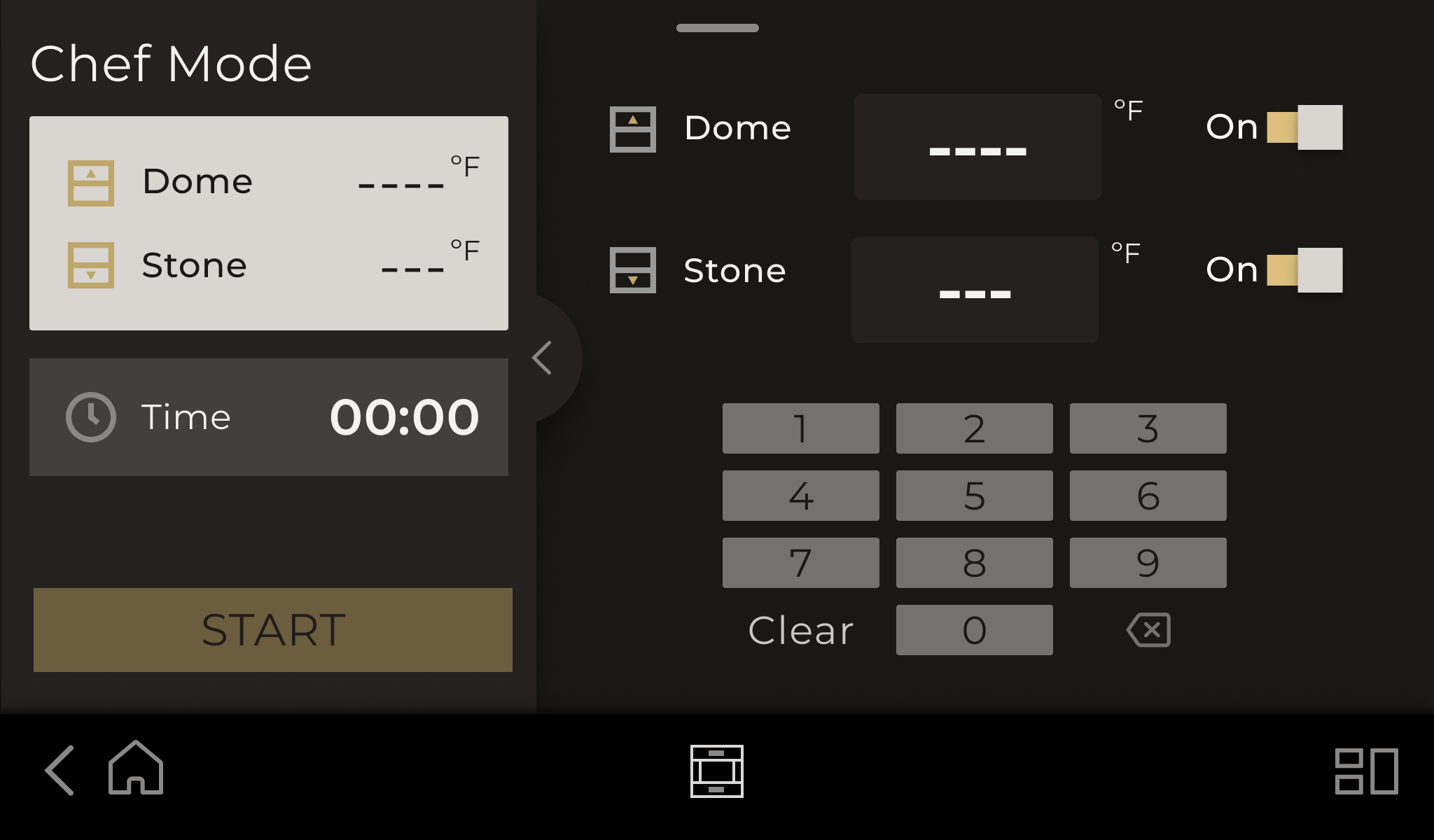
Dome and Stone remain together, so users can compare both heat zones without switching tabs.
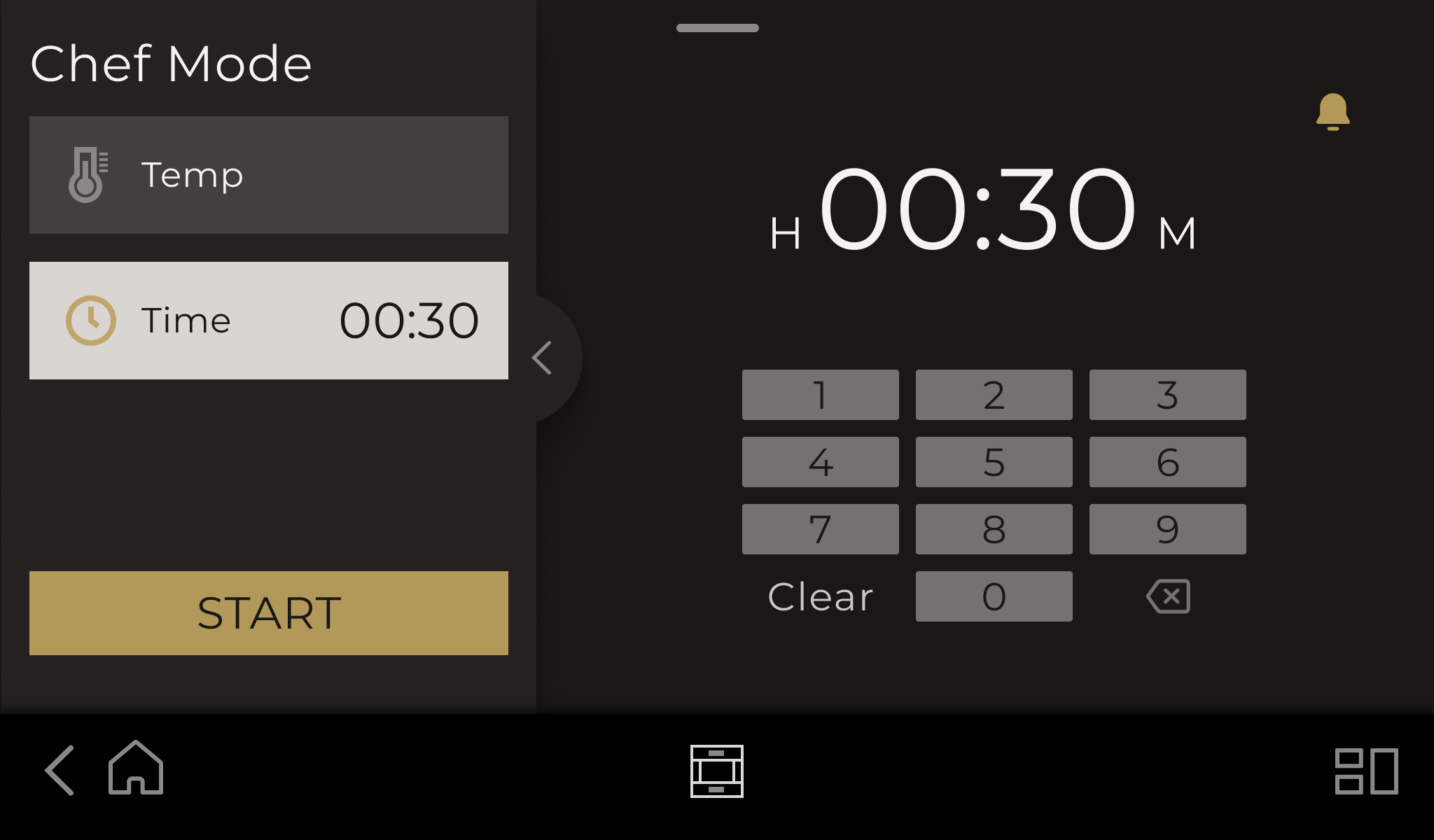
The left panel preserves context while the active control changes on the right.
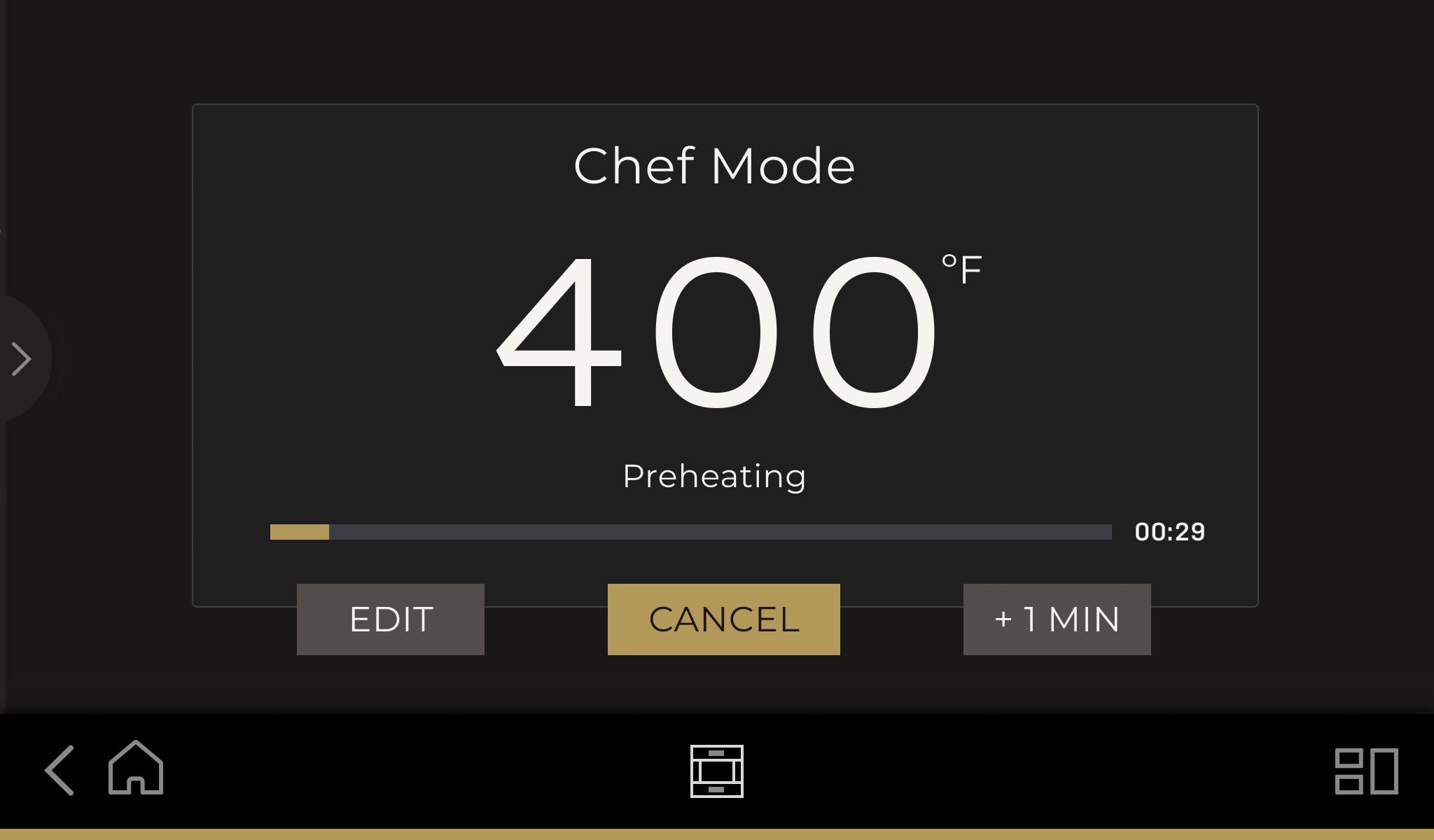
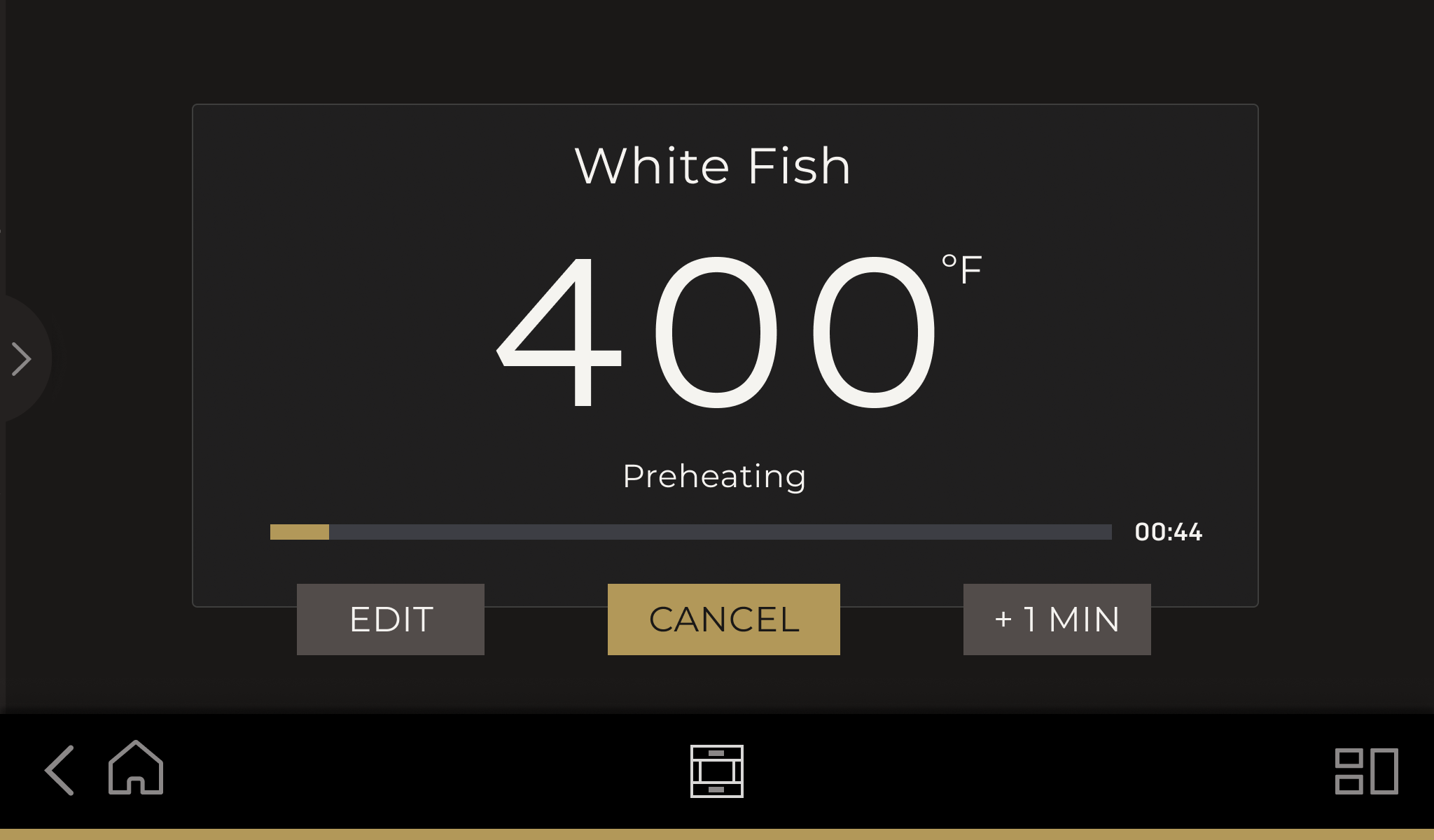
Once cooking begins, the hierarchy shifts to temperature, progress, and the actions people may need in the moment.
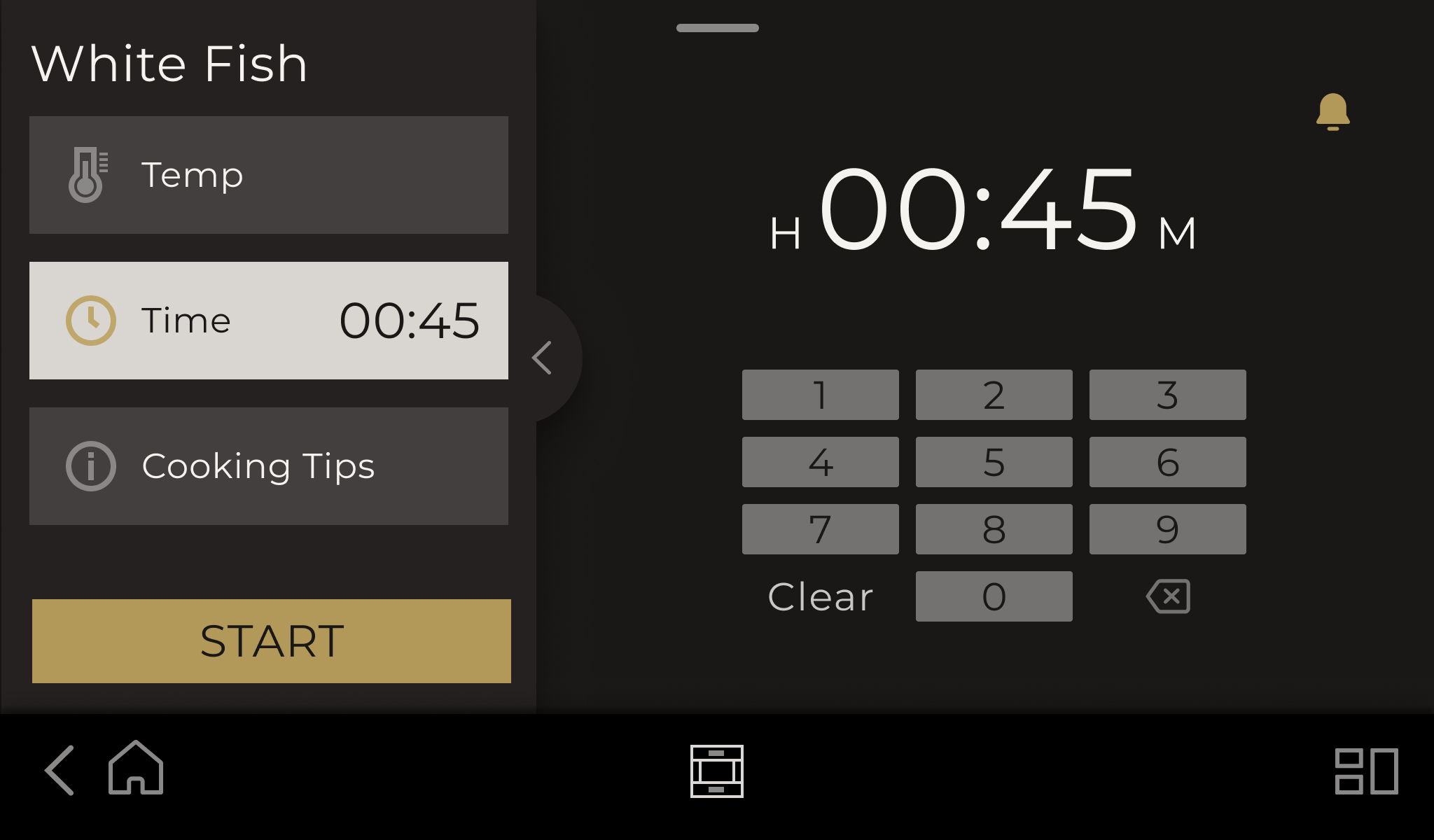
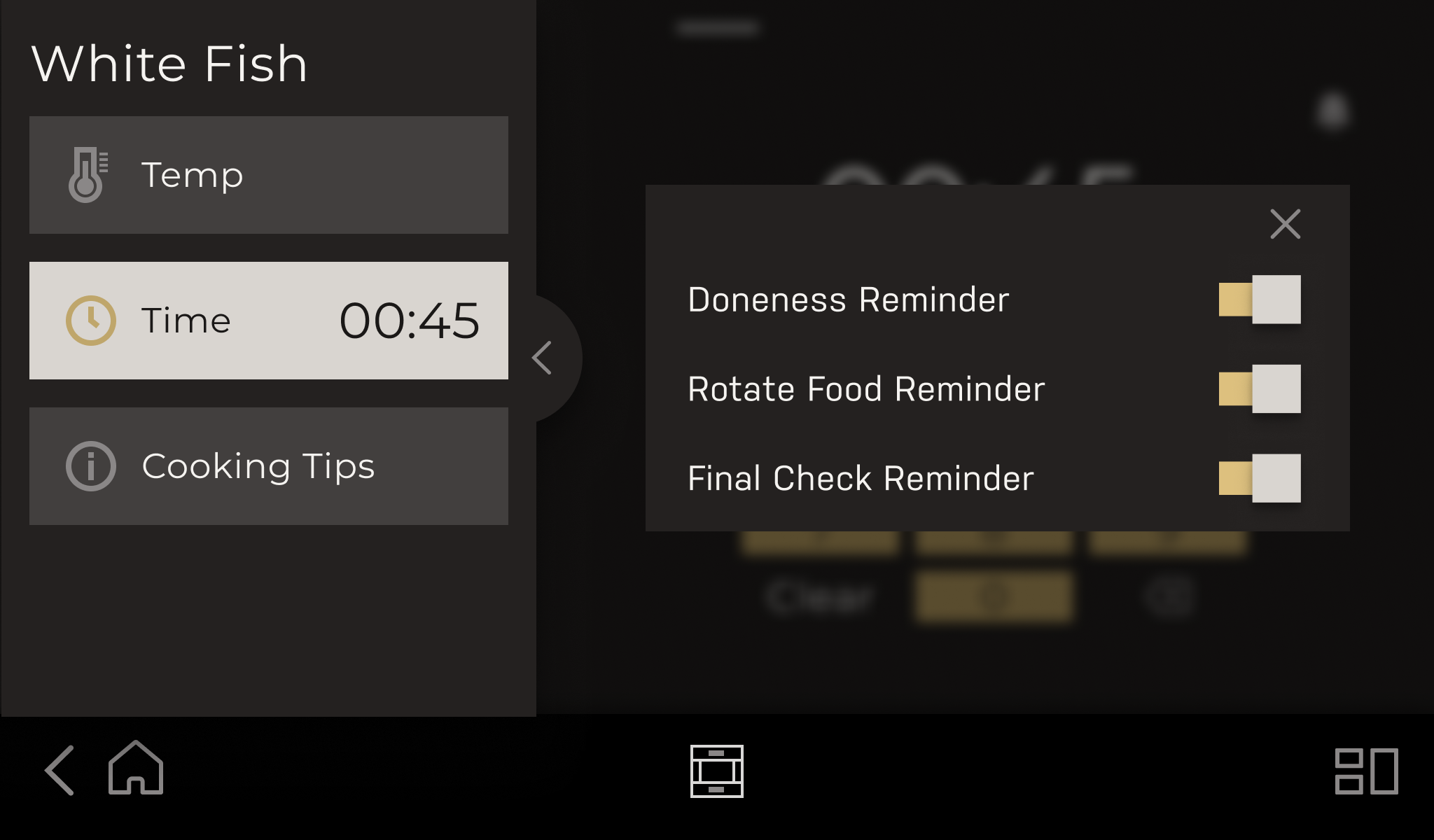
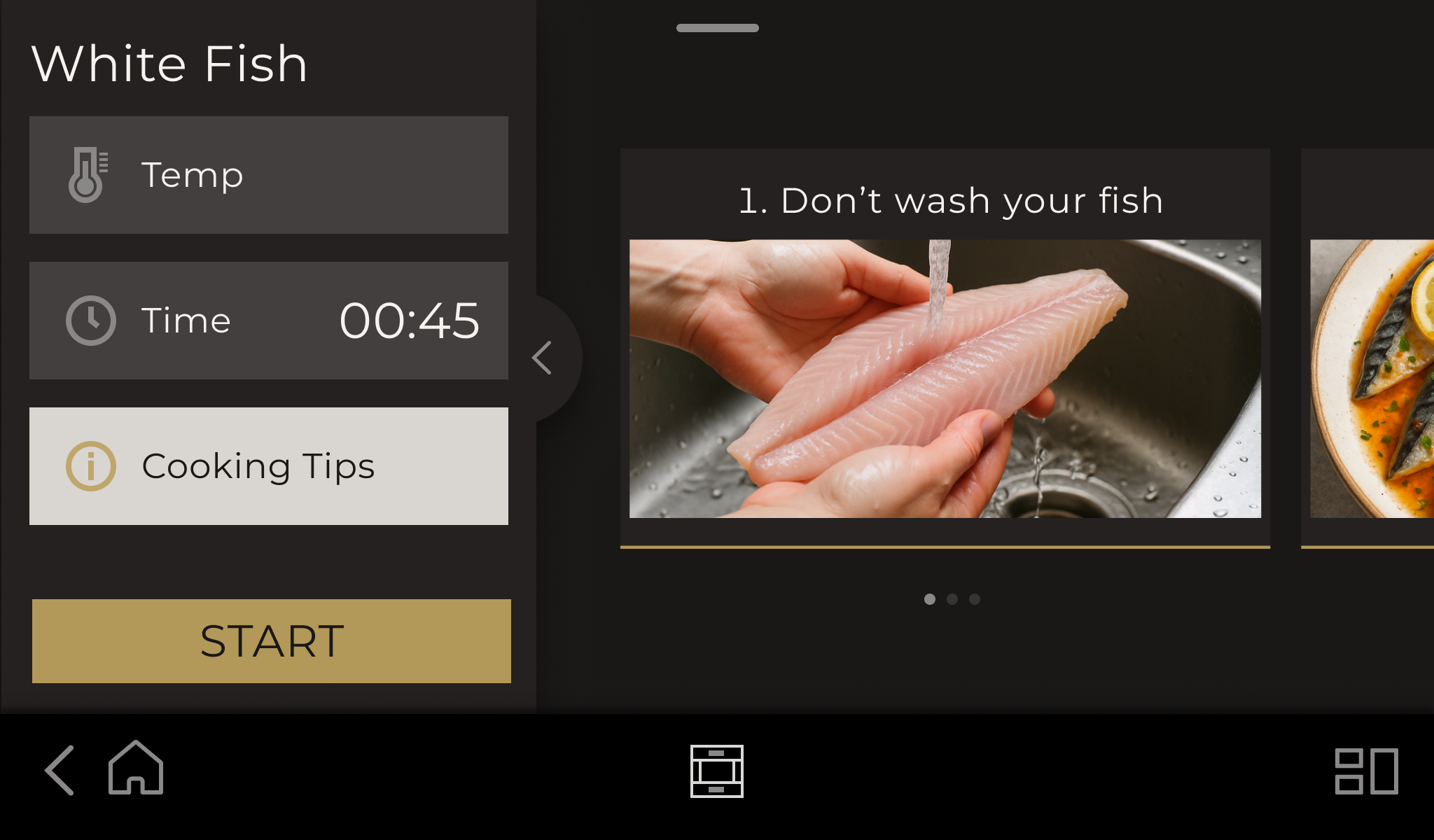
Precision Cooking starts with a dish, then brings the recommended settings, timing, reminders, and cooking advice into the same familiar layout.
Designing for two modes changed what I optimized for.
In testing, people preferred seeing and setting Dome and Stone together without switching screens.
Chef Mode and Precision Cooking kept separate paths, with consistent navigation, inputs, and cooking states.
Proven appliance behavior and terminology informed a premium HMI without copying another brand.